Dear friends,
I hope you are enjoying summer.
Today’s post will be about how to localize your emails in Auth0 (Okta).
We have the following scenario:
We have websites in various countries, all connected to the same Auth0 account. When a user signs up, forgets a password, and so on, we want to present the emails in the correct language. In Auth0, there is one email template for each action, such as:
- Change Password
- Verification Email
- …
So how do we do this?
Liquid to the rescue 🙂
Thank you Shopify for this marvelous gem.
So what is it then?
Liquid is a template engine which was written with very specific requirements:
It has to be stateless. Compile and render steps have to be separate so that the expensive parsing and compiling can be done once and later on you can just render it passing in a hash with local variables and objects.
It has to have beautiful and simple markup. Template engines which don’t produce good looking markup are no fun to use.
It needs to be non evaling and secure. Liquid templates are made so that users can edit them. You don’t want to run code on your server which your users wrote.
And yes, Auth0 does support Liquid. Read all about it here:
Auth0 Liquid Syntax in Email Templates
*Guess what? SendGrid is also supporting Liquid:
SendGrid Liquid Template Language
Let’s have a look at the email template for, say, Verification Email:
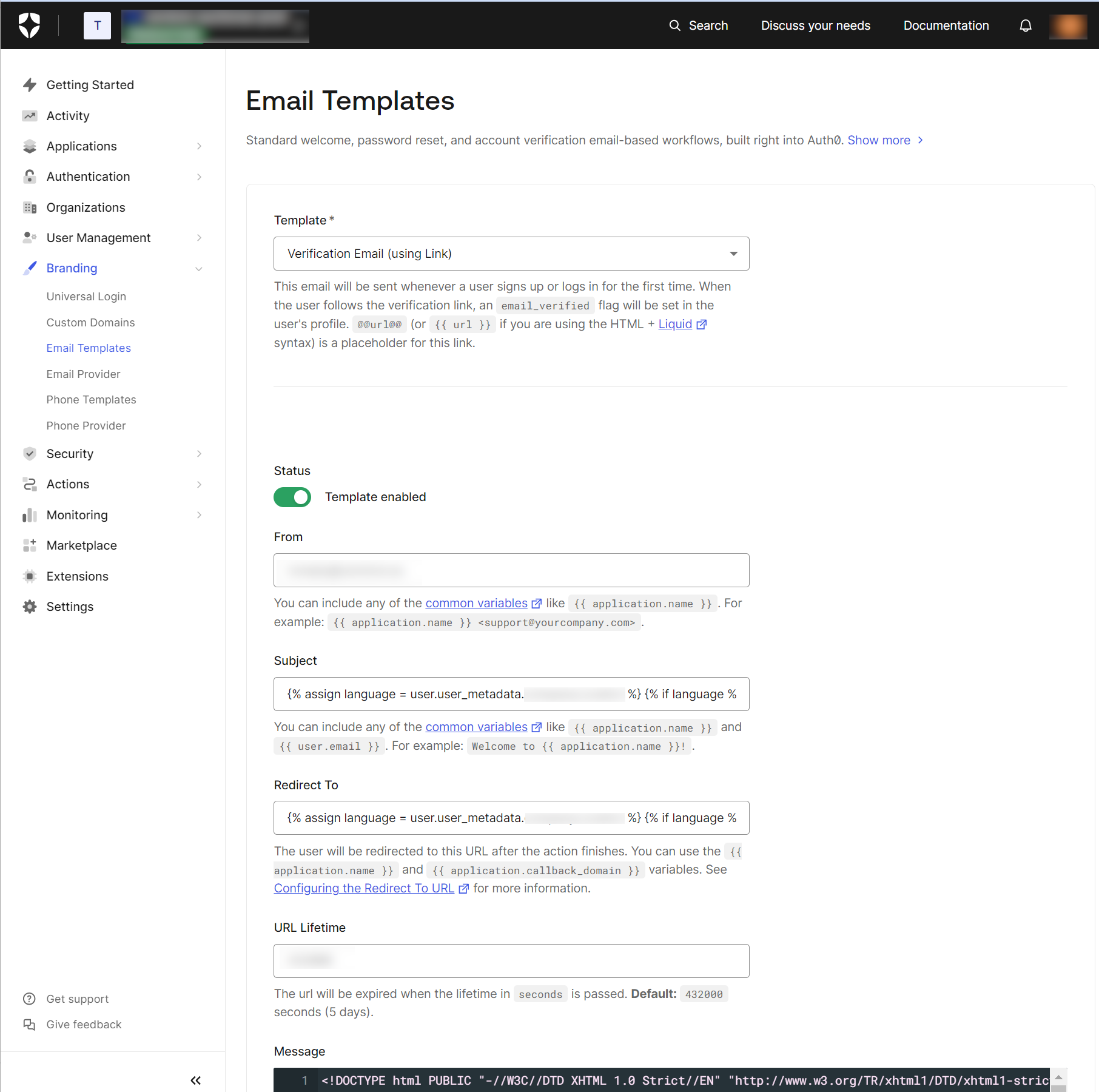
What I really love about this is that you can use Liquid on the Subject, something like this:
{% assign language = user.user_metadata.preferredLanguage %}
  {% if language %}
    {% assign language = user.user_metadata.preferredLanguage | slice: 0,2 %}
  {% endif%}
{% if language == 'es' %}
  Cuenta de Example: bloqueada
{% elsif language == 'de' %}
  Ihr Example wurde gesperrt
{% elsif language == 'fr' %}
  Compte Example bloqué
{% elsif language == 'ja' %}
  Example アカウントがブロックされました
{% elsif language == 'pt' %}
  Conta da Example bloqueada
{% elsif language == 'zh' %}
  Example 帐户被阻止
{% else %}
  Example account blocked
{% endif %}
Same goes for Redirect To:
{% if application.name == 'JWT.io' %} https://jwt.io {% else %} https://auth0.com {% endif %}
And of course in Message (Email template itself).
Read all about it here: Auth0 Email Templates
Let’s get our hand dirty and do some proper “liquiding” 🙂
Localizing the Email Subject
So now we know how to do this. Let’s add our logic to the email template. First out is the Subject.
If you have looked in my previous posts, I mentioned how to localize using user metdatada:
https://visionsincode.com/2024/06/16/implementing-auth0-post-user-registration-action-for-multinational-sitecore-websites/
Meaning that each user has this localized info(Sweden, Norway, Denmark, Germany and so on)
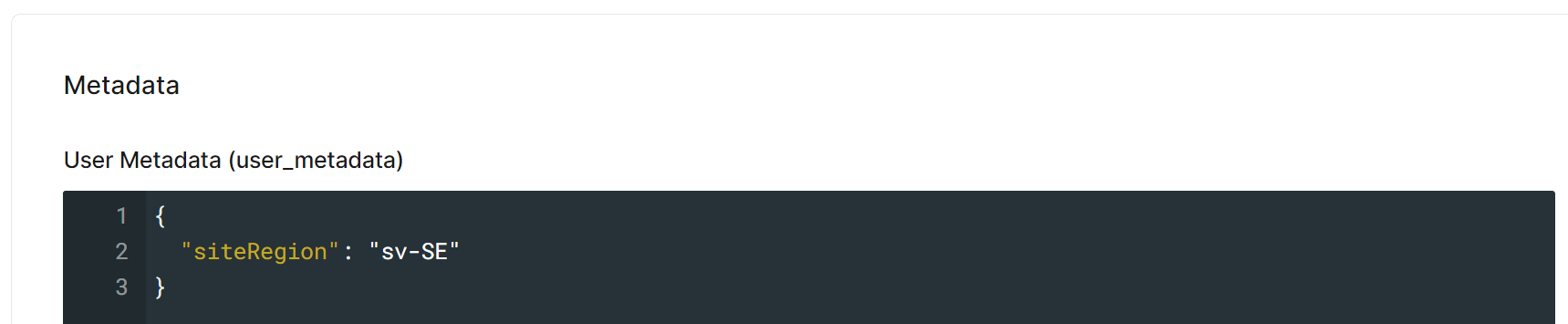
Based on the user’s site region, we can now dynamically set the email subject. Something like this 🙂
{% assign language = user.user_metadata.siteRegion %}
  {% if language %}
    {% assign language = user.user_metadata.siteRegion| slice: 0, 2 %}
  {% endif %}
{% case language %}
  {% when 'sv' %}
  Välkommen till nya Sandbox – verifiera din email adress!
  {% when 'nb' %}
  Velkommen til nye Sandbox – bekreft din e-postadresse!
  {% else %}
  Verify your email address
{% endcase %}
We retrieve the user’s preferred language from their metadata and use conditional logic to display the subject in the appropriate language. For example, if the user’s region is Sweden, the subject will be in Swedish (“Välkommen till nya Sandbox – verifiera din email adress!”), and if the user’s region is Norway, the subject will be in Norwegian (“Velkommen til nye Sandbox – bekreft din e-postadresse!”). If the user’s region does not match the specified cases, the default subject in English (“Verify your email address”) is used.
Is it not lovely? 🙂
Redirecting Based on User Region
Let’s take a look at Redirect To. When the user has verified their email, we want to redirect them to the correct website. Again based on the user’s site region, we can dynamically set where to redirect the users:
{% assign language = user.user_metadata.siteRegion%}
  {% if language %}
    {% assign language = user.user_metadata.siteRegion| slice: 0, 2 %}
{% endif %}
{% case language %}
  {% when 'sv' %}
  https://sandbox.se
  {% when 'nb' %}
  https://sandbox.no
  {% else %}
  https://sandbox.com
{% endcase %}
Here we retrieve the user’s preferred language from their metadata and use conditional logic to redirect the user to the appropriate regional website. For example, if the user’s region is Sweden, they will be redirected to the Swedish site (https://sandbox.se), and if the user’s region is Norway, they will be redirected to the Norwegian site (https://sandbox.no). If the user’s region does not match the specified cases, they will be redirected to the default site (https://sandbox.com).
Localizing the Email Message
Let’s move on to the last part – Message.
This is the actual email itself. Again, we will use the user’s site region to know what language we should use in the email. Something like this 🙂
{% assign language = user.user_metadata.siteRegion%}
  {% if language %}
    {% assign language = user.user_metadata.siteRegion| slice: 0, 2 %}
  {% endif %}
{% case language %}
  {% when 'sv' %}
  <!-- Add Swedish (sv) specific content here -->
  <p>Välkommen till Sandbox.se!</p>
  {% when 'nb' %}
  <!-- Add Norwegian (nb) specific content here -->
  <p>Velkommen til nye Sandbox.no!</p>
 {% else %}
  <!-- Default content here -->
  <p>Welcome to Sandbox.com!</p>
  <p>We are pleased to announce the launch of Sandbox.com</p>
{% endcase %}
We use the user’s site region to determine the language of the email content. For example, if the user’s region is Sweden, the email will be in Swedish, and if the user’s region is Norway, the email will be in Norwegian. If the user’s region does not match the specified cases, the email will be in English.
By using Liquid templates in Auth0, you can easily localize your email templates to cater to users from different regions. This enhances the user experience by providing personalized and relevant communication in their preferred language.
Feel free to reach out if you have any questions or if you’d like to share how you’ve tackled similar challenges. Enjoy the sunny days ahead, and happy coding!
That’s all for now folks 🙂
 Visions In Code