In my previous blog post, Track a visitors coordinates in the Sitecore DMS, I was asked if I could move it into a Sitecore package and release it on the Sitecore Marketplace.
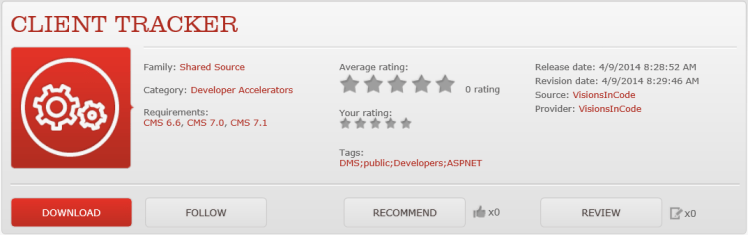
I managed to transform the blog post to a Sitecore module and released it on Sitecore Marketplace – CLIENT TRACKER
What does it do?
Well the main idea was to track visitors/users location(using HTML5 Geolocation API) and store it in the Sitecore DMS but It can also be used to track events/goals.
I will continue working with the module – Soon there will be support for enrolling and moving visitors between States in the Engagement Automation Plans.
How to use it?
Install the package(It contains only files)
/TrackerHandler.ashx
/ClientEventTracker.js
/PageScriptSample.js
/bin/Sitecore.SharedSource.ClientTracker.dll
The package will put TrackerHandler.ashx, ClientEventTracker.js and PageScriptSample.js in the root. I strongly suggest that you move the files to proper folders. PageScriptSample.js is just a sample.
Add the ClientEventTracker.js to the page/s where you want to do the client tracking.
To send the client data you will use a Json dictionary, which supports following parameters:
Coordinates (Track current user/visitor location)
PageEventId (Track event/goal)
PageUrl (The url/page where the event/goal is fired)
It’s important that you name the dictionary to requestParamAndValues. Don’t forget to add the path to the handler, TrackerHandler.ashx.
var pathToHandler = "/CustomHandlers/TrackerHandler.ashx";
var requestParamAndValues = {};
requestParamAndValues["PageEventId"] = dataContainer.data("goal");
requestParamAndValues["PageUrl"] = dataContainer.data("pageurl");

var jsonObject = {};
jsonObject["requestParamAndValues"] = requestParamAndValues;

var analyticsEvent = new AnalyticsPageEvent(jsonObject, pathToHandler);
analyticsEvent.trigger();
Ok, let’s try it then. In following example we want to track if a user/visitor has closed an “alert box” and get the geolocation of the visitor.

First we create the event/goal in Sitecore.

Next we proceed to the widget containing the alert box. The data-goal attribute contains the item id for the “Closed Alert box” event and the data-pageurl holds the path to actual page(in order for the tracker to find the correct page row).
<div class="alert alert-info fade in"
        data-pageurl="<%= HttpContext.Current.Request.Url.PathAndQuery %>"
        data-goal=" <%# Sandbox.Alert.Constants.Analytics.Goals.CloseAlertBox %> ">
        <button type="button" class="close" id="closeAlert" data-dismiss="alert">×</button>
        <asp:PlaceHolder runat="server" Visible="<%# !string.IsNullOrWhiteSpace(this.GetDataSourceOrContextItem().GetString(Sandbox.Spots.Constants.Fields.Alert.AlertHeader)) || Sitecore.Context.PageMode.IsPageEditorEditing %>">
            <h4>
                <sc:Text runat="server" DataSource="<%# this.GetDataSourceOrContextItem().ID %>" Field="<%# Sandbox.Spots.Constants.Fields.Alert.AlertHeader%>" />
            </h4>
        </asp:PlaceHolder>

        <sc:Text runat="server" DataSource="<%# this.GetDataSourceOrContextItem().ID %>" Field="<%# Sandbox.Spots.Constants.Fields.Alert.AlertText%>" />
    </div>
Finally we add the custom/sample javascript for the page.
var SharedSource = SharedSource || {};

jQuery(document).ready(function () {
    SharedSource.ClientTracker.DomReady();
});

SharedSource.ClientTracker = {
    DomReady: function() {

        SharedSource.ClientTracker.Init();

       jQuery("#closeAlert").click(function () {

            SharedSource.ClientTracker.TrackPageEvent();

        });


    },

    Init: function(trackUser) {

        window.pathToHandler = "/CustomHandlers/TrackerHandler.ashx";

        if (navigator)
            navigator.geolocation.getCurrentPosition(geoSuccess, geoError);

        function geoSuccess(p) {

            window.coordinates = p.coords;

            if (trackUser) {
                SharedSource.ClientTracker.TrackUserLocation();
            }

        }

        function geoError(error) {
            var message = "";
            switch (error.code) {
            case error.PERMISSION_DENIED:
                message = "This website does not have permission to use " + "the Geolocation API";
                break;
            case error.POSITION_UNAVAILABLE:
                message = "The current position could not be determined.";
                break;
            case error.PERMISSION_DENIED_TIMEOUT:
                message = "The current position could not be determined " + "within the specified timeout period.";
                break;
            }

            if (message == "") {
                var strErrorCode = error.code.toString();
                message = "The position could not be determined due to " + "an unknown error (Code: " + strErrorCode + ").";
            }

            Logging(message);
        };


    },
    TrackUserLocation: function() {

        if (!window.coordinates)
            return;

        var requestParamAndValues = {};
        requestParamAndValues["Coordinates"] = SharedSource.ClientTracker.StringFormat("{0},{1}", window.coordinates.latitude, window.coordinates.longitude, '1');

        var jsonObject = {};
        jsonObject["requestParamAndValues"] = requestParamAndValues;

        var analyticsEvent = new AnalyticsPageEvent(jsonObject, window.pathToHandler);
        analyticsEvent.trigger();

    },
    StringFormat: function () {
        var s = arguments[0];
        for (var i = 0; i < arguments.length - 1; i++) {
            var reg = new RegExp("\\{" + i + "\\}", "gm");
            s = s.replace(reg, arguments[i + 1]);
        }
        return s;
    },

    Logging: function (message) {
        if (typeof console == "object") {
            console.log(message);
        }
    },

    TrackPageEvent: function() {

        var dataContainer = jQuery(".alert alert-info fade in");

        var requestParamAndValues = {};
        requestParamAndValues["PageEventId"] = dataContainer.data("goal");
        requestParamAndValues["PageUrl"] = dataContainer.data("pageurl");

        if (window.coordinates)
            requestParamAndValues["Coordinates"] = SharedSource.ClientTracker.StringFormat("{0},{1}", window.coordinates.latitude, window.coordinates.longitude, '1');


        var jsonObject = {};
        jsonObject["requestParamAndValues"] = requestParamAndValues;

        var analyticsEvent = new AnalyticsPageEvent(jsonObject,  window.pathToHandler);
        analyticsEvent.trigger();
    }

};
That’s it – The event and the visitors current location will now be registered in the Sitecore DMS.
If you have questions, improvements, finding bugs – Please let me know.
That’s all for now folks 🙂
 Visions In Code
4 thoughts on “Client Tracker with Sitecore DMS”